Watch the 1.2 trailer and tutorial
New in 1.2: the Grand Tour
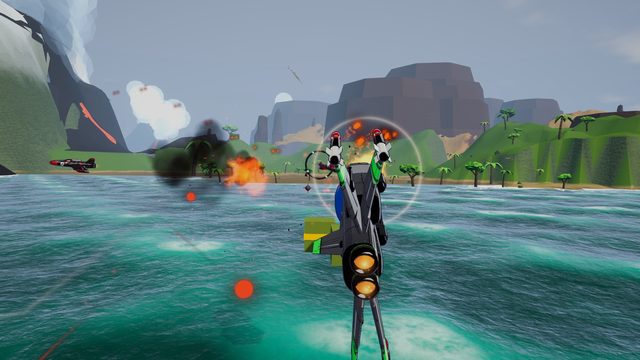
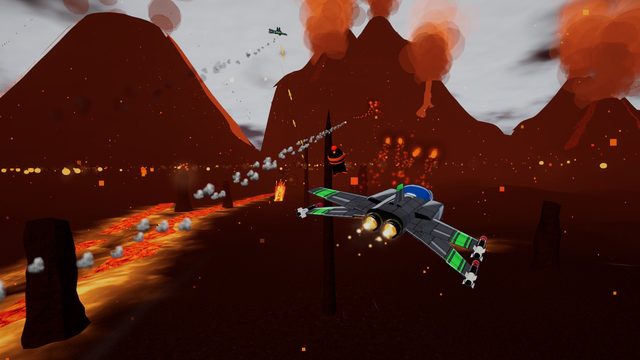
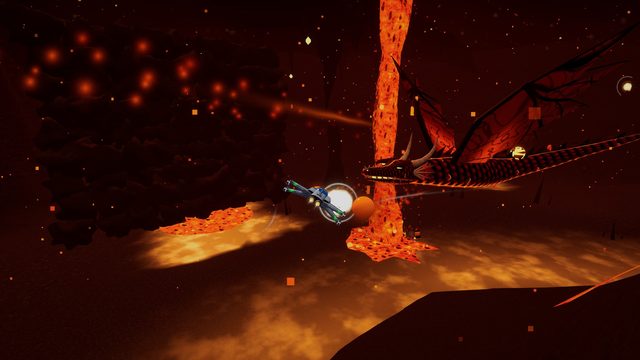
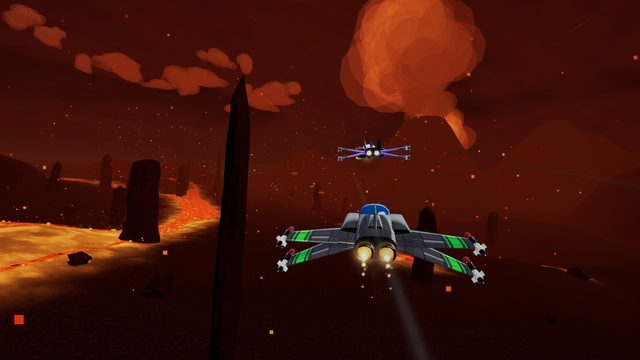
Coming soon: the Rail Ace Level Generator.
Play the Grand Tour in your browser
All four parts of the 1.2 Grand Tour, nothing to install: ▶ Play the browser demo (full quality), or ▶ the quick version for slower PCs (simpler water, ground and smoke). Desktop Chrome, Edge or Firefox; keyboard or gamepad; about 160 MB to load the first time.
Build your own arcade space shooter in an afternoon
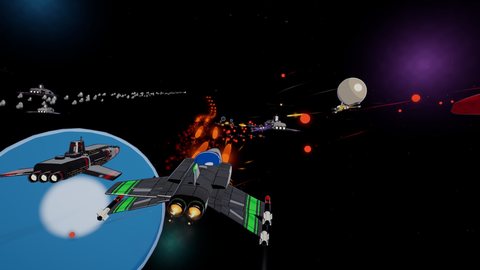
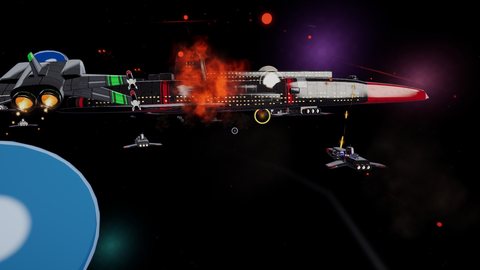
Rail Ace is a complete, ready-to-play Unity project for classic rail shooters and free-flight dogfights. Open it, press Play, and you're flying: lock-on lasers, barrel rolls, loop-de-loops, wingmen shouting over the radio, and a giant flagship to take apart turret by turret.
It's built as a starting point, not a black box. Every script is commented in plain English and every setting has a tooltip. Swap in your own ships, change the waves, tune the difficulty or build whole new missions on the same systems.
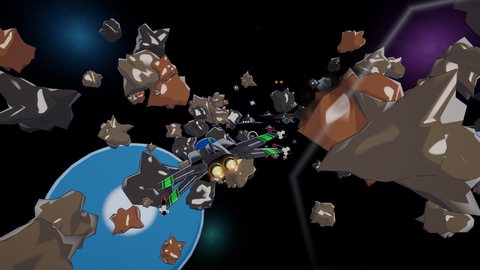
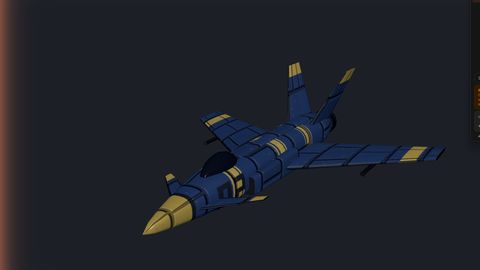
It comes with a built-in Ship Generator that makes fighters, capital ships and turrets in seconds, entirely in code. Version 1.2 adds a new player ship, "Ace", with four wings that each break off on their own, wing-tip micro missiles and a big belly missile, wingmen you can call for help, and the Grand Tour: a four-part journey from an asteroid belt down to an alien planet, into a volcano, a fight with a lava dragon and an escape run as the planet collapses.
What's in the box
1.2 patch notes
- The Grand Tour: one mission in four parts, from deep space to a planet's core and back.
- New: lock-on missiles, wingman calls, the Magma Wyrm all-range boss, creatures underground, flowing lava, better water, new obstacles.
- Fixes: missiles break asteroids, no more white glowing orbs, smoother autopilot, cleaner HUD.
There's also a Practice Range: a looping tutorial course with six stations that teaches every move.
From import to your own game in four steps
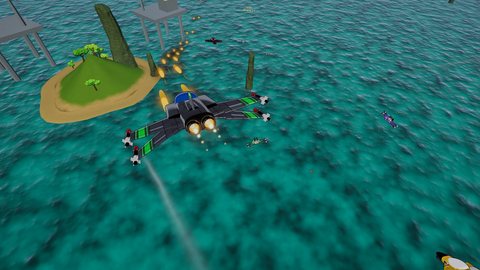
Import & play
Import the package into a URP project. The Welcome & Quick Start window opens, checks your project, and has buttons to play each mission straight away.
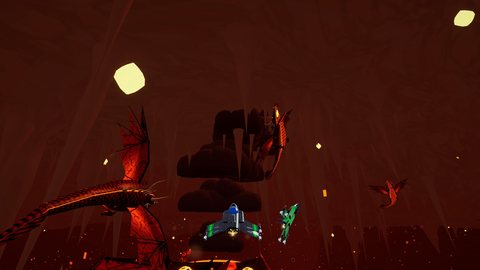
Swap the art
Drag your own ships into the art slots in the Welcome window or the Level Theme. Models are scaled, centred, converted to URP and given colliders and AI automatically.
Or generate ships
No art yet? Open the Ship Generator, press New Random Ship, tweak it, and Save and Assign. One click makes a whole matching enemy fleet.
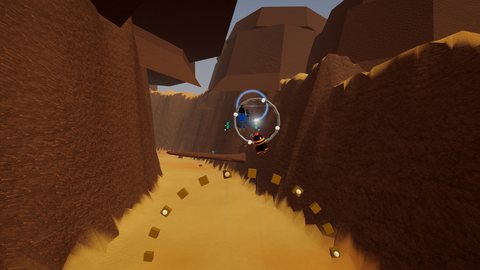
Rebuild & tune
Press Rebuild to regenerate the levels with your changes. Then edit waves, enemy stats and difficulty in the Inspector, or write your own missions and bosses.
How a mission plays
- On rails: your ship follows a flight path through the level while you steer around the screen, dodge, and shoot everything that crosses your sights.
- Lock-on: tap the missile button to fire at whatever is under your crosshair, or hold it and sweep the crosshair over enemies to lock on, then release to send a missile after each one.
- All-range mode: at set points the rail opens into a 3D arena. Fly freely with a radar and edge arrows; fly too far and the ship turns you back automatically.
- Wingmen: allies fly with you, call for help over the radio, and get chased by enemies you have to shake off them.
- The boss: on-screen markers show exactly what to shoot. The turrets turn to track you and fire back, and once they're down the core opens up.
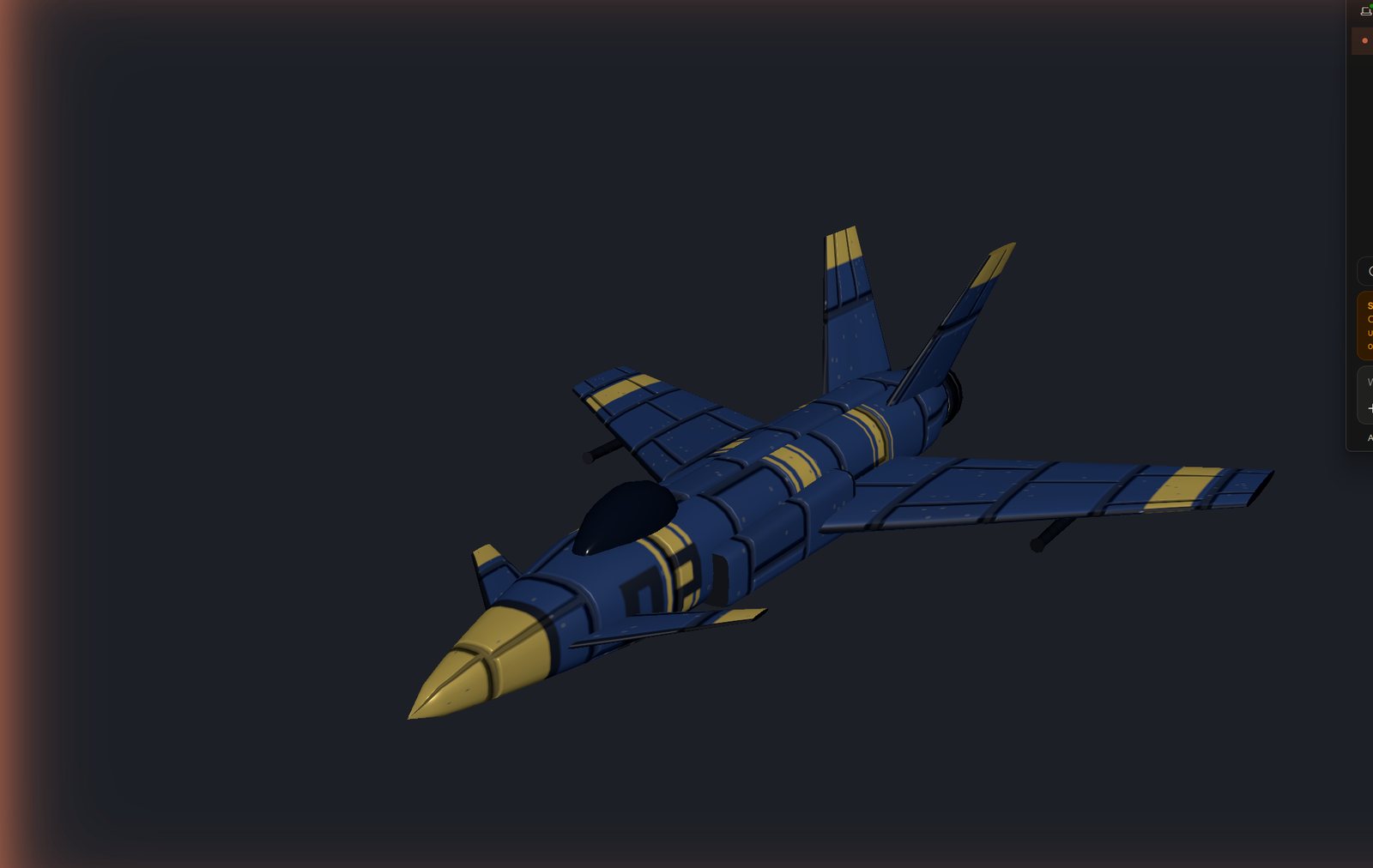
Placeholder ships in seconds, made in code
The Ship Generator is a Unity editor window built into Rail Ace. It builds ships from simple shapes and paints them procedurally: hull panels, colour zones, stripes, hull numbers, windows, wear and glowing engines. No AI and no internet are involved.
Open it from Tools › Rail Ace › Ship Generator.
How to use it
- Pick a class: Fighter, Capital ship or Turret.
- Pick a style, such as Interceptor, Heavy, Raider, Arrow or Quad for fighters, or Cruiser and Flagship for capital ships.
- Press New Random Ship until you like one. New Shape keeps the colours and changes the shape.
- Fine-tune the colours (seven palette presets, or your own), the shape sliders and the texture size, with a live 3D preview.
- Press Save and Assign to put it straight into a slot in the game, then Rebuild.
Built to be replaced
- Ships are saved as ordinary prefabs with URP materials and PBR textures (colour, normal and mask maps)
- Generate Placeholder Fleet makes a full matching enemy set in one click, and backs up your current setup first
- Every generated ship is tagged as a placeholder, so you can always see which slots still need real art
- Replacing a placeholder is a drag and drop into its slot
- Export any ship as OBJ to model your final art at exactly the right size
- Generated turrets have a separate turning head; name a part "Head" on your own turret and it turns too
- Recipes are saved as assets, so you can reopen and edit any ship later
- A runtime API (
ShipGenerator.Spawn) can build ships while the game is running
Flight and combat
- Lock-on missiles (tap to fire, hold to lock several targets) and gun upgrades: single, twin, incendiary
- Barrel rolls that deflect enemy shots
- Loop-de-loop and U-turn manoeuvres
- Boost and brake sharing one meter
- Wing damage: each wing smokes, burns and breaks off on its own
- All-range mode with radar, edge arrows and automatic turn-back
- Dogfight AI that pursues, makes gun runs, breaks off and evades
- Wingmen with radio chatter and pilot portraits
New in 1.2
- New player ship "Ace", made with the Ship Generator: four wings that each break off on their own, rudder and flaps that move
- Wing-tip micro missiles that lock onto up to four targets, and a big missile from the belly bay
- Call a wingman for help; wingmen warn you about gates and bandits on your tail
- The Grand Tour: space, a jungle sea, a desert canyon, a volcano, the planet's core and an escape run
- Lava dragon boss: burrows through lava vents, lays eggs that hatch into whelps, breathes fire
- Loop bonuses with a power surge, brake gates and boost doors
Four difficulty levels that actually feel different
Easy, Normal, Hard and Ace scale enemy health, fire rate, accuracy, shot speed, damage to the player and AI agility. Hard and Ace add volley fire and enemies that track your dodges.
Beginner friendly
- Welcome & Quick Start window with a project check and play buttons
- Art slots for every ship: drop in a model and rebuild with one click
- Models auto-scaled, centred, converted to URP and given colliders and AI
- Plain-English comments in every script and a tooltip on every field
- Waves set up in the Inspector, no code needed
- Make your own boss by deriving from
BossBase - Invincibility test key for checking levels quickly
- 11-page PDF guide
Polish
- Cel shading with outlines, bloom and screen effects
- Contrails, engine jets and procedural explosions
- Synthesised sound effects and four original music tracks
- HUD, title menu, pause, game over and mission-complete screens included
- Full control remapping (Input System) with gamepad support
- Clean code: namespaced, assembly definitions, pooled projectiles, works with Domain Reload off
Default controls
Every control can be remapped. Gamepads work out of the box.
| Action | Keyboard & mouse | Gamepad |
|---|---|---|
| Fly | WASD or arrows | Left stick / d-pad |
| Guns (hold to fire) | Space / left click | RT |
| Missiles (hold to lock on) | F / right click | LT |
| Switch missile type | X | X |
| Call a wingman | H | A |
| Barrel roll | Z / C | LB / RB, or flick the right stick |
| Action | Keyboard & mouse | Gamepad |
|---|---|---|
| Bank | Q / E | – |
| Boost / Brake | Left Shift / Left Ctrl | Y, or right stick forward / back |
| Loop | V | Right-stick click |
| U-turn (all-range) | Brake while pulling back | |
| Invert pitch | I | Back / View |
| Pause | P or Esc | Start |
For testing, F1 or G toggles invincibility so you can check a level without dying.
The Practice Range walks new players through each move, one station at a time.
Requirements
| Details | |
|---|---|
| Unity | Unity 6 (6000.6) or newer |
| Render pipeline | Universal Render Pipeline (URP) 17.6 or newer |
| Input | Input System package recommended; the old Input Manager also works |
| Build targets | Windows, macOS and Linux standalone, and Web (WebGL). Tested on Windows and in the browser |
| Dependencies | No third-party packages. Needs URP; the Input System package is optional (both free from Unity) |
| Included | 7 scenes, 141 C# scripts, URP shaders (toon + outline, ship clip, terrain, water, sky, foliage), the "Ace" player ship and wingmen made with the Ship Generator, generated placeholder models with recipes, sound effects, 4 music tracks, pilot portraits, CC0 photo textures (ambientCG) for the Grand Tour |
Rail Ace is a URP project. It isn't made for the Built-in Render Pipeline or HDRP.
Licence
Rail Ace is sold on the Unity Asset Store under the standard Unity Asset Store EULA. You can use it in your own commercial and non-commercial games.